Set up sensors
You can create new Powercalc sensor either with the GUI or YAML.
In the GUI just click the button to directly add a powercalc sensor:

When this is not working.
- Go to
Settings->Devices & Services - Click
Add integration - Search and click
Powercalc
After initializing the flow for a new configuration you'll be presented a list with choices:
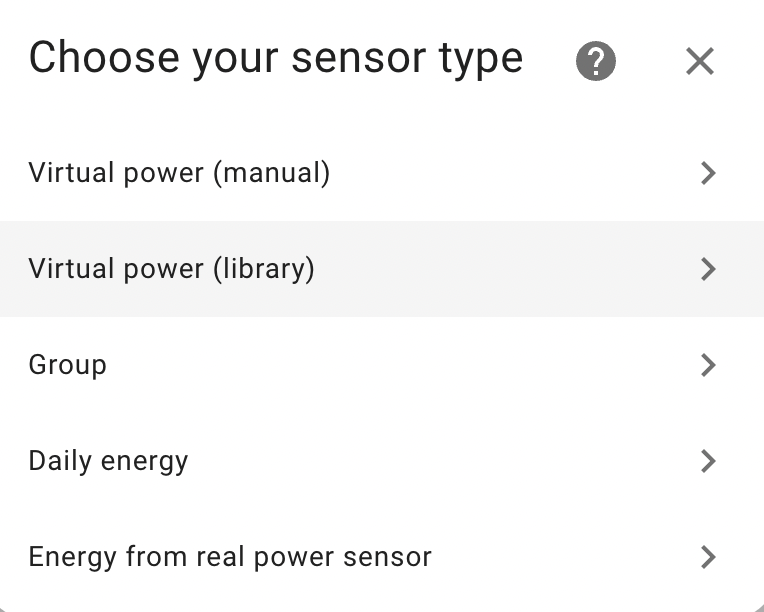
We will explain the options briefly here. To get more information go to the respective sections in the documentation.
Virtual power (manual)
Create a virtual power sensor by manual configuration. This is the main feature of Powercalc and the possibilities are endless.
Virtual power (library)
Create a virtual power sensor by selecting from the library of power profiles. See supported models.
Group
Make a group of different individual powercalc sensors. For example you can get the total usage of your kitchen this way or your full house usage. Also supports sub groups and more.
Daily fixed energy
Use this for non smart devices which are not managed by HA, and which you known the daily kWh consumption of. This allows you to create an energy sensor for that which you can add to the energy dashboard
Energy from real power sensor
Use this when you have an existing power sensor in your installation, which you want to create energy sensor (and optionally utility meters) for. This also makes it possible to add the power sensor to a powercalc group.
Derived sensors
When setting up power sensors using the above methods, Powercalc can automatically derive additional sensors from them. Each can be toggled in the GUI or with a YAML option, globally or per sensor.
Energy sensor
An energy sensor (kWh) integrated from the power sensor, ready to add to the Home Assistant energy dashboard. Toggle with create_energy_sensor.
Utility meter
Utility meters cycle the energy consumption per period (hourly, daily, weekly, monthly, ...), so you can track usage per cycle. Toggle with create_utility_meters.
Cost sensor
A cost sensor (monetary) multiplies the consumed energy by an energy price to track what it costs. Toggle with create_cost_sensors. You can also create a standalone cost sensor for an existing energy sensor that was not created by Powercalc.